Add PDZG-E Wireless Gateway
-
Connect the PDZG-E to the same LAN as the PDDEG-S and ensure that it is powered on.
The PDZG-E takes approximately 1-2 minutes to boot up and connect to the network. -
In System view, click
 Insert Device from Network (Ctrl+L).
 -
In the Insert Devices from Network window, click
 Discover Network > Discover Devices over Ethernet. All discovered devices are listed.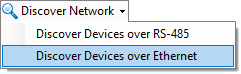
-
Tick the
 PDZG-E checkbox and click
  Add Devices.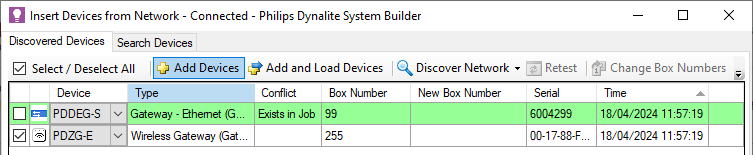
-
Close the window to return SB.
-
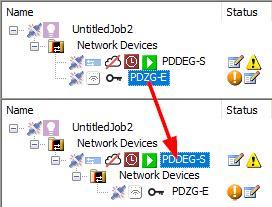
In the System tree, click and drag the PDZG-E onto the PDDEG-S. The places it under the PDDEG-S in the network hierarchy. If prompted, click to confirm.