Configuring circuit properties
Outputs editor
There are two Outputs editors that provide properties for viewing and configuring circuit settings:
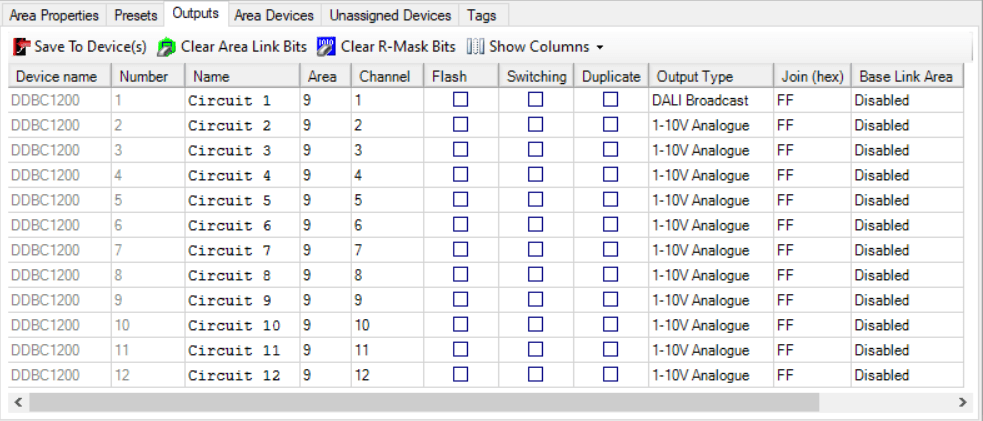
Areas view Outputs editor - shows the DALI drivers assigned to an area.
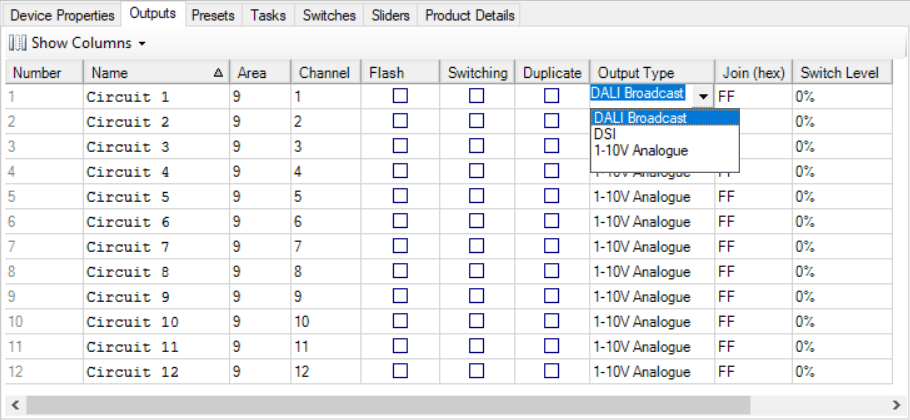
System view Outputs editor - shows DALI drivers on the controller.
The Areas view Outputs editor toolbar contains the following functions.
| Outputs toolbar icon | Description |
|---|---|
|
Saves the modified properties for all controllers with circuits in the area. |
|
Clears the Area Link bits linking two or more areas within a base link area. |
|
Clears the R-Mask bits and returns the controller to normal operation. |
|
Show/hide DALI channel property columns. Selected columns are marked with a |


Outputs editor properties
The Outputs editor contains the following properties for each circuit.
Device name |
Dimming Curve |
Switch Level |
Number |
Load shedding |
Min Level |
Name |
Output Type |
Max Level |
Area |
Join (hex) |
Current Preset |
Channel |
Join (bit) |
Preset offset |
Load (Watts) |
R-Mask (hex) |
Stored Preset |
Power Category |
Base Link Area |
Channel Runtime |
Flash |
Area link bits |
Switching |
On Delay |
Off Delay |
Duplicate |
The default columns in the Outputs editor enable the following actions:
-
Double-click the Name to rename the circuit to something more meaningful.
-
Enter the area and channel numbers (Select Areas view for a visual representation of the logical assignments)
-
Select the
 checkbox in the
  Flash column to flash a circuit.
 -
Select the
checkbox in the Switching column to limit the circuit to ON/OFF only (not dimmable). -
Select the
checkbox in the Duplicate column to indicate that this circuit is assigned to the same channel as another circuit (this checkbox is automatically selected when assigning more than one circuit to a channel). -
Click the Output Type dropdown list column and select one of the following options:
-
DALI Enumerated
-
DALI Broadcast
-
DSI
-
1-10V Analog
-
|
For all signal dimmer circuits, you must select the Output Type and then save modified device data (Shift+F12) to the controller. To speed up output type selection for newly created devices, set the default output type in Tools > Settings > System Settings > Defaults > Default driver channel output type. 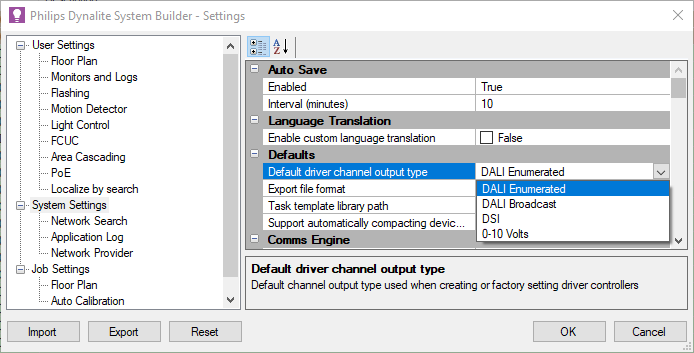
|